What is IRC and What is the Best Way to Use It?
This article has been just updated:
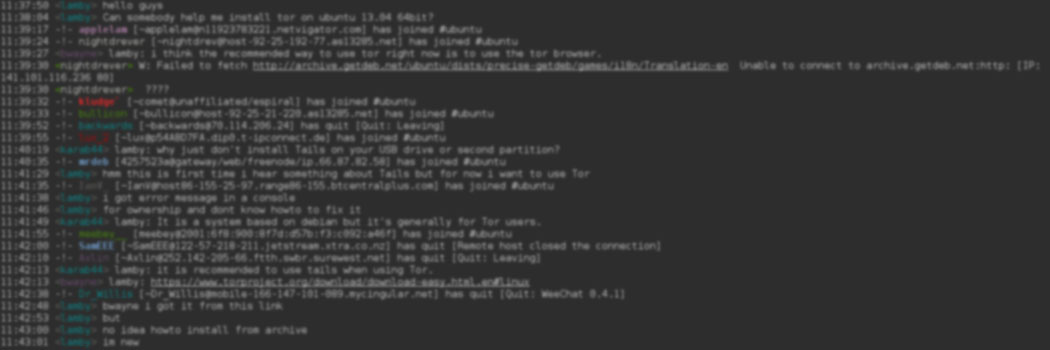
Internet Relay Chat (IRC) is an open protocol that enables users to communicate by text in real time over the Internet. The communication is accomplished via the use of IRC clients. An IRC client is a software application that is required to use IRC. Clients are available for most operating systems and mobile devices.
IRC was developed during the summer of 1988 by Jarkko Oikarinen. At the time, Jarkko was a graduate student at the University of Oulu, Finland. It was inspired by the Bitner Relay Chat and “rmsg” messaging programs. IRC is considered the predecessor to the multiple chat and instant messaging systems with which we communicate in the modern world.

Oikarinen was employed at the University’s Department of Information Processing Science in the summer of 1988. He was responsible for a Sun Unix server that the department ran on a public bulletin board system named OuluBox.
Jarkko was not satisfied with MultiUser Talk (MUT), the multi-user chat program that was currently in use on OuluBox. He decided to improve MUT and the result was IRC. It was first deployed on OuluBox at the end of August 1988. The first IRC server was named tolsun.oulu.fi.
IRC is an excellent example of the ability of ideas and tools to quickly spread using the power afforded by the Internet. Before the advent of the World Wide Web, the existence of email and IRC were two of the prime reasons that an individual would want to connect to the Internet.
Once IRC became popular enough that it began attracting more than 10 users, Oikarinen asked friends at universities in south Finland to run IRC servers in order to spread the processing load. The IRC client was upgraded to include support for Emacs editor commands and soon was in use on the Finnish network FUNET. Its popularity spread further and it was soon running across Scandinavia on the Scandinavian network NORDUNET.

The use of IRC spread to the United States when Oikarinen obtained an account on MIT’s famous “ai.ai.mit.edu” computer. He recruited Mike Jacobs, who would become the first IRC user located outside of Scandinavia. The IRC software made its way to various U.S. universities and the number of IRC servers in Europe and America began to grow substantially.
During Iraq’s invasion of Kuwait in 1991, IRC became better known by the general public when it was used to receive current information regarding the conflict. An IRC link remained functional for a week after television and radio broadcasts were halted. Here we see a clear example of the power of alternative means of communication to subvert authoritarian or overly restrictive regimes.
Once you connect to a server you can query it to see what channels are available. You can use the “/list” command within your IRC client. There are also web-based channel search tools that can direct you to a network that is running the channel you want to access. Searching by keyword is possible to discover new channels that you might want to visit.
When you log into an IRC network you need to choose a nickname or nick for the session. This is how you will be identified when engaged in a conversation. You can start your own channel on an IRC network as well as communicate privately with another user if both agree.
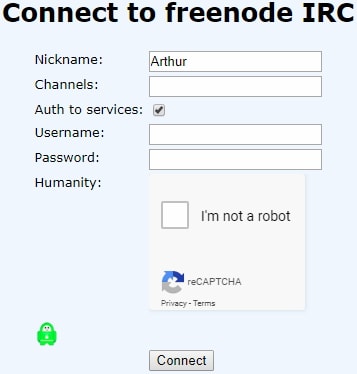
Depending on the IRC client you are using, there may be more or less additional features available. Commands are generally prefixed with a “/“. Some available commands include:
Joining a channel gives you the illusion of being directly connected to the other occupants of the room. In reality, you are all connected to the IRC server which relays messages to the channel participants.
As mentioned previously, IRC first proved its utility outside of academic circles during the Gulf War period in 1991. Its use peaked in the early 2000s and the service has seen a decline in use brought about by the introduction of Twitter, Facebook, and other social media platforms that permit communal online interaction.
IRC is still used as an alternative to phone or email technical support. Many channels on the Freenode network are associated with open source projects and are used by developers to exchange information among programming teams. Setting up your own channel is an easy way to set up a means of communication for any group of individuals.
There are many IRC clients available whether you are running on the Windows, Linux, macOS, iOS or Android platforms. Here are five quality IRC clients that will enable you to explore what IRC has to offer.
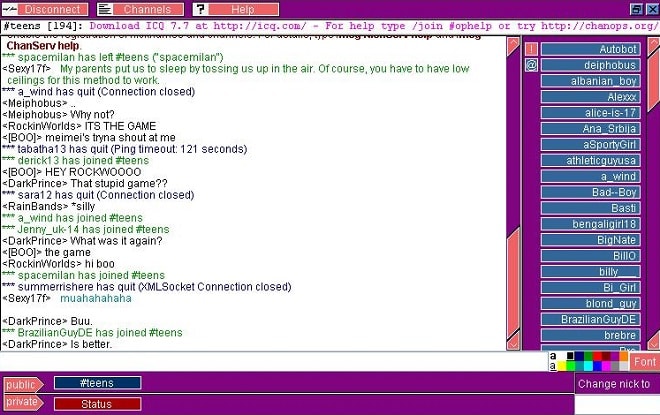
PJIRC is a web-based open-source IRC client. It was developed by Philippe Detournay using Java which enables it to be run as an applet in many browsers. The app supports DCC connections and can be run without a website or browser but does require Java runtime support. Features include per-channel color configuration, nickname auto-completion, sound support, and time stamping.
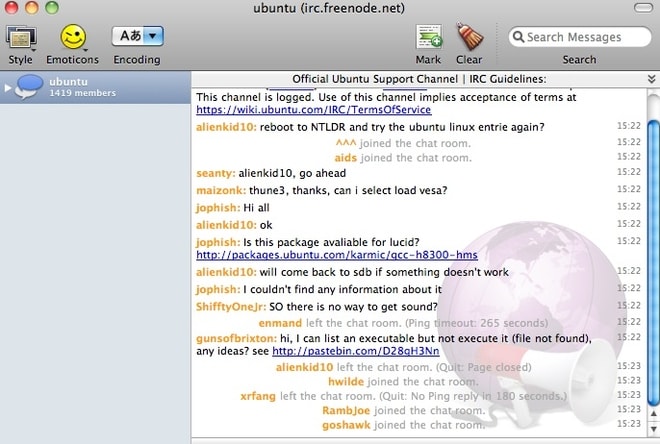
Mac users will appreciate all of the functionality built into this IRC client. It’s an open-source project that is free to use and offers a host of features to make your time on IRC more enjoyable. It has a professional looking interface which mimics other Apple applications. It is compatible with mIRC colors and supports DCC file transfer.
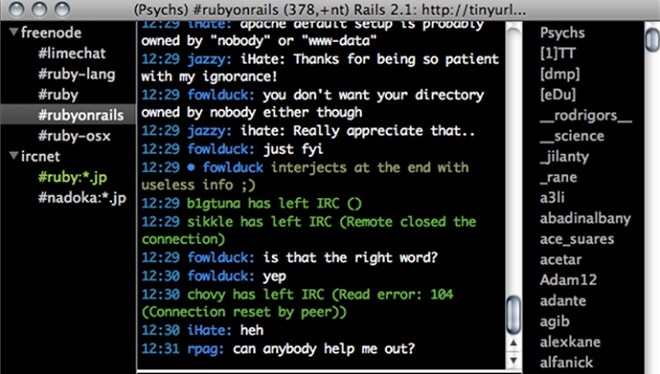
Here is another nice IRC client that runs on macOS as well as iOS. It allows you to use one window for multiple servers. LimeChat has a console style interface, making it more suitable for experienced IRC users. The software is very fast and lightweight and allows file transfers, auto-joining of channels, and many keyboard shortcuts to save you time.
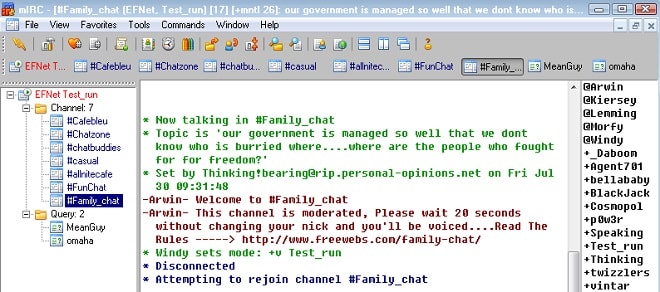
mIRC is a popular IRC client that is available for the Windows operating system. Its popularity has been built on its functionality which includes file transfers, connecting to multiple servers, buddy lists, and proxy support. It features a user-friendly interface that is easy to configure and includes a scripting language to allow you to automate IRC functions.
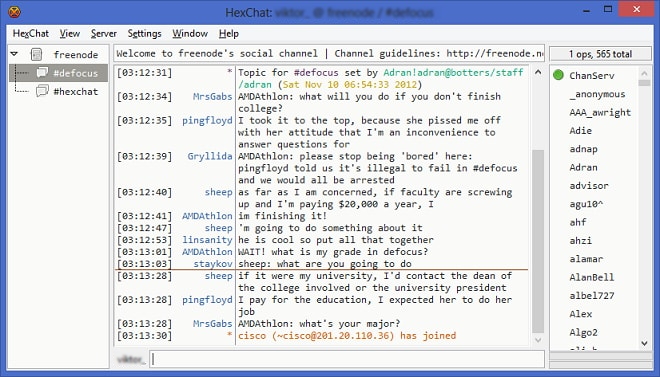
Another open-source IRC client which has versions that run on Windows, Unix, and Linux operating systems is HexChat. It features an easily customizable interface. Unlike some freeware IRC clients out there, it is still under active development. Features like a spell checker and automatic network joining make it easy to converse on IRC channels.
IRC may not be as dominant as it was in the early days of Internet communication, but it still is a valid method for groups to employ to avoid the major social media networks. You can easily set up your own channel and have your team conversing together even if they are located across the globe.